



The Best Game Recorder for Windows - Action!
Record Smooth Gameplay in Full HD quality, low CPU use and no FPS loss

Over 15,000 downloads made every day!
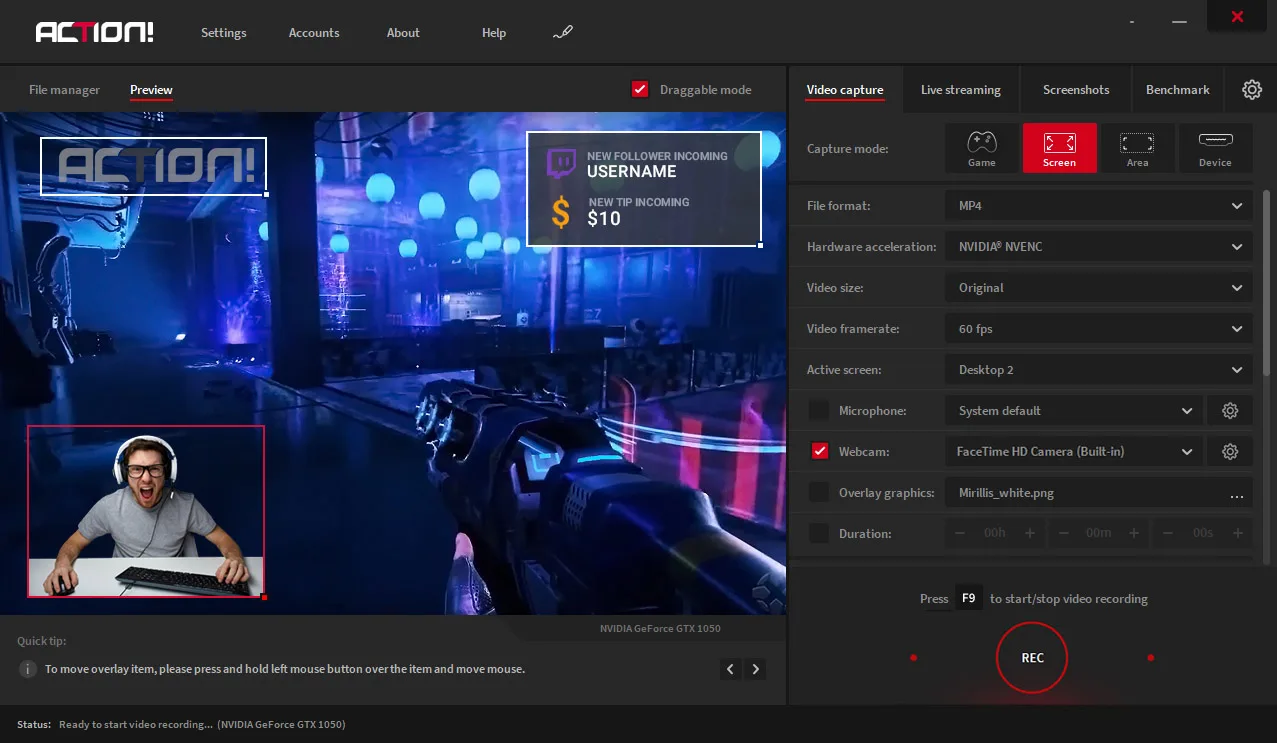
ACTION! Game Recorder
The Best Game Recording Software for Windows
★★★★★
Short review for action after using it to stream on twitch and record youtube videos. Its pretty damn effective it has the tools to stream perfectly, record without curruption and control the flow of data while streaming to stop it cutting out. I would highly recommend this software. I will continue to use this for a long time and the large sales make it even better. Also the ability to boarder certain windows to record is a life saver when streaming.
by TheReaperKionng15 PFS DT on SteamCommunity
★★★★★
i usually use GeForce Experience to recorded my game play but some update make me can't use it after i tried to fix that for a long time but it didn't work anymore so i try this Action! program and it's pretty good there'r a lot option and easy to use even a newbie like me btw. i tried few recorded program as a demo but this is what i like ;-)
by YogiDeBear on SteamCommunity
★★★★★
The most amazing recording software I've ever used, the simple layout made my experience recording and streaming so much easier, while providing a plethora of options for my microphone, sound, streaming, recording, and more.
by Adverse
★★★★★
Action is one of the best game recording programs that I could've ever purchased. Fancy GUI with low CPU usage. Lots of settings to maximize your gaming experience. You can record, screenshot, do almost anything with action. Most of my hours on action are AFK but I highly recommend this program. I also want to give you a tip, this game is 50% more expensive on steam than it is on their official website. Just buy it on the website, trust me. I made a mistake. Action is a must buy for professional recording.
by Abraham Fisonhel
★★★★★
The best video game recorder I have ever used (and I tried a lot of video recorders, like fraps, obs, dxtory, playclaw). The price is a little high, but is worth it. The fps drop when you start recording is really low, pretty much depending on the game (...). Good quality of the videos recorded, it has customizable hotkeys, streaming to twitch or youtube is easy to do, decent clarity when you stream. Never had any big problems with the program, it always worked for me( that's why I have 2000hrs of recording time with it). if you are not convinced here is a video I recorded for youtube with it.
by O.D. on SteamCommunity
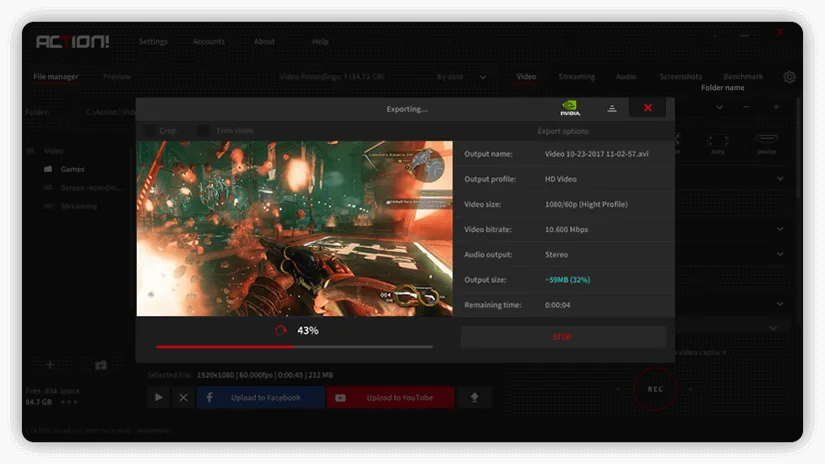
Game Recording
Action! Game Recorder can capture games in outstanding 4K Ultra HD up to 3840x2160 resolution with no time limitation.
Device recording mode allows to capture video from gaming consoles such as Xbox or Play Station. Program supports Elgato, Avermedia and Hauppauge capture cards.
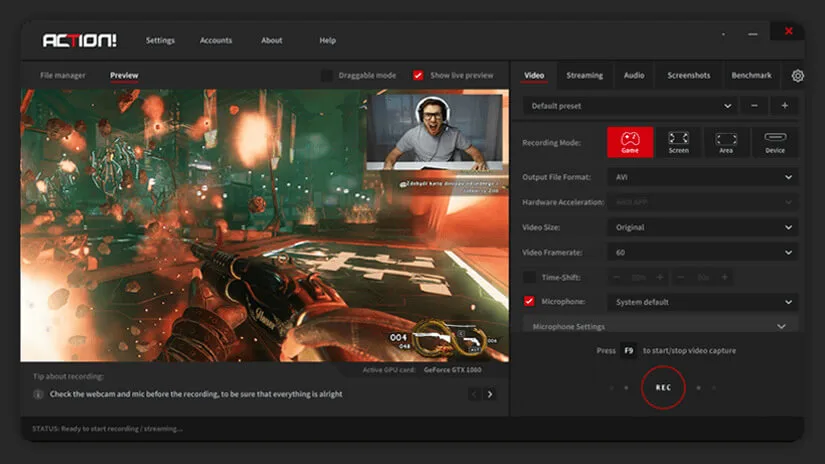
Streaming
Action! streaming option allows to broadcast your games LIVE to YouTube, Facebook, Twitch, Smashcast, Ustream and more.
Action! is the most easy-to-use Live streaming software for gamers that can stream gameplays in outstanding Ultra HD resolution with the lowest CPU usage.
Screenshot feature
Action! can take High Quality screenshots of your computer's screen, and saves them to BMP, JPG and PNG formats.
Improved Action! HUD
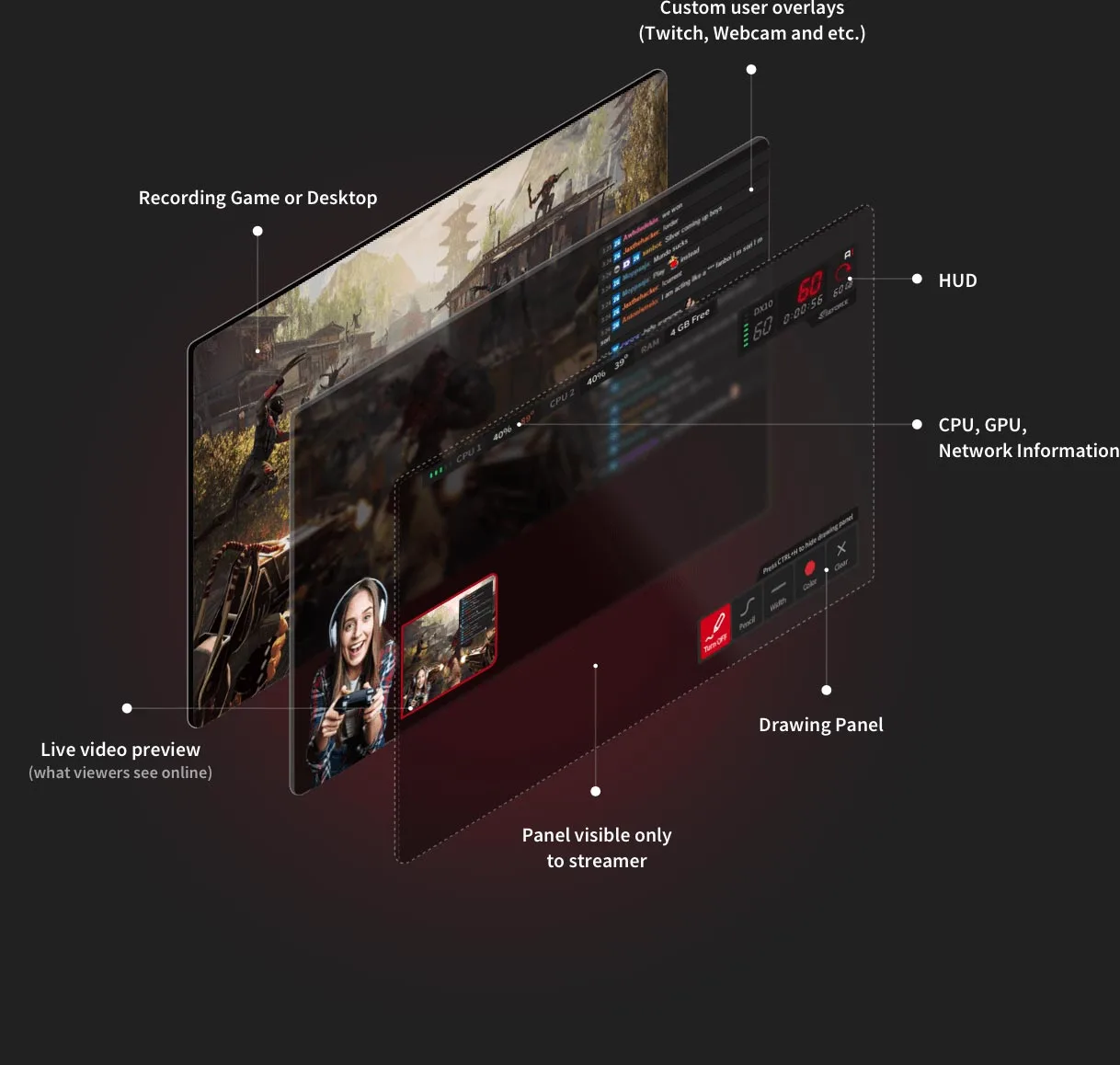
Action! HUD displays free disk space, viewer counter statistics, FPS (Frames Per Second), mic volume level, duration of your recordings and webcam preview if enabled. It also monitors the temperature of your CPU and GPU.
Video Coding
Action! Screen Recorder utilizes the highest standard of Efficiency Video Coding (H.265/HEVC, H.264/AVC and FICV – Fast Intra Compression Video – Mirillis codec).
Expandable interface
Expand Action! interface to reveal even more useful features. Keep everything in orderly fashion
Account manager
Stay logged-in to all popular live-streaming services and quickly switch between sessions. This makes Action! one of the most convenient PC Screen Recorder software on the market
Low-end PC performance
There is no need to upgrade your computer. Action! Screen Recorder allows to record and live-stream smooth videos even on low-end PC and laptops in high quality
Download and try the best software for game recording!
The Best Overlay Management System
Action! 3.0 provides professional support for Streamlabs and other overlay live streaming tools. Possibility to use drawing panel with additional overlay graphics on your video while streaming, makes Action! an excellent Webinar Software.
- Freely reposition and resize your webcam and/or overlay graphic
- 6 modular URL Overlays such as chat, Alertbox, viewer counter etc.
- Green Screen Effect for webcam or Intel Background Removal
- Real-time on-screen drawing panel
- Live preview of your video composition
- Monitor the status of your recording and computer (non-recorded area)
Supported Overlay Sources:



ACTION Features

Screen recording
Record screen in smooth 4k Ultra HD resolution with low CPU usage.

LIVE Streaming
Broadcast your desktop to various streaming services such as Facebook or YouTube, with no lag.

Audio recording
Record audio commentary, and save it into separate audio tracks or file.

USB/HDMI Capture Devices
Capture screen from devices such as consoles, TVs, smartphones and other.

Overlay Support
Use Streamlabs and other widgets and add up to 6 modular URL overlay graphics, webcam and your own logo.

Chroma key
Add Webcam using CHROMA KEY and ALPHA MASK to remove or change background while screen recording and LIVE streaming.

Drawing Panel
Improve your webinars and tutorials using Text, Colors, Shapes, Highlights and many other drawing tools.

Benchmarking
Test out how well your PC performs on your computer and save the results.
Action 3.0 Screenshots
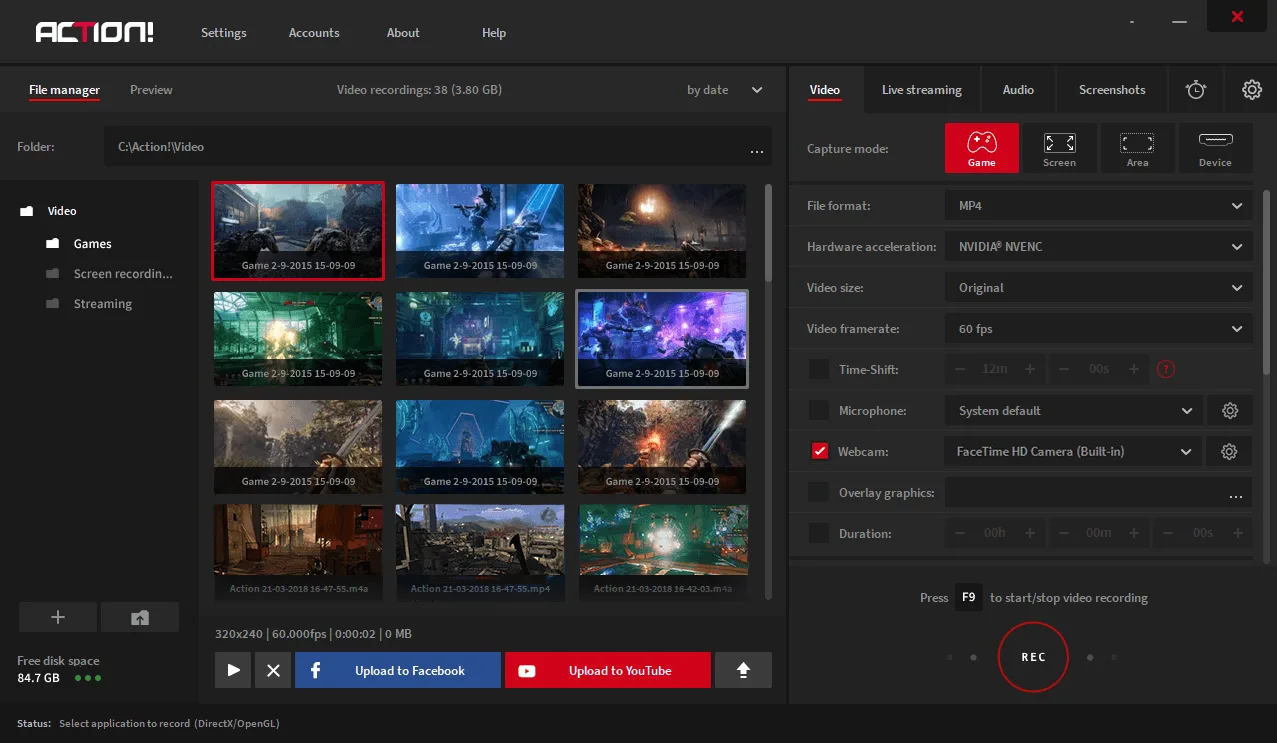
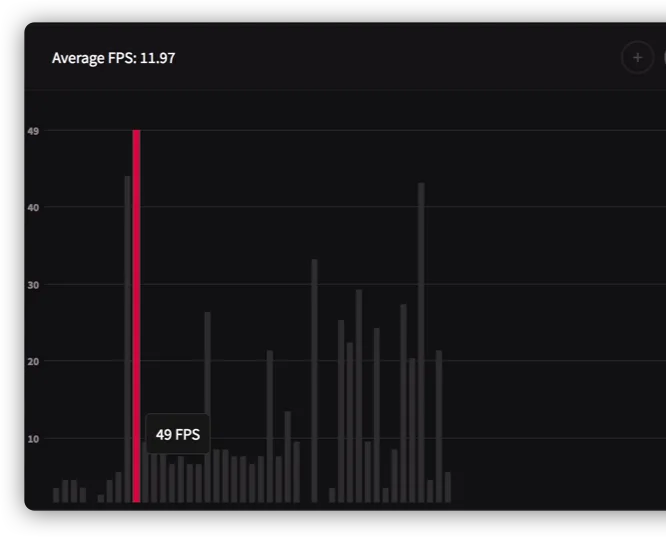
Check Game Performance with Advanced Benchmarking Tool
With Action Benchmarking feature, you can easily check your in-game framerate and compare it to other benchmarked titles. Adjust your game graphics to achieve desired framerate.

Save your Benchmark
With Action! You can benchmark your game and save the results for later or compare it with other results.
Easy to read results
Your benchmarked game file is saved in HTML format in a form of an easy to read bar graph.
Test your hardware now!
Do you Like it?
Pricing Action 3.0 Licenses
License period
Action! Game Recorder is available for 30 days in trial period. Home and Commercial version is valid forever.
Action! watermark added to video recordings
Videos recorded with trial version of the software will include a watermark in the top-middle section of the recorded screen.
On-Screen Drawing Panel
Create amazing webinars, video presentation and LIVE streams with real-time on-screen drawing panel. Add text, colorful highlights, shapes or just draw on your screen.
Support for 6 modular URL overlays
Add up to 6 fully customizable, modular URL to your LIVE stream. Resize and reposition all widgets according to your needs.
Video recording library
Save and store all your video files in video library. Save your recordings in the right folders for faster and more comfortable video management.
Record to eparate audio tracks and files
Record microphone and system sound in two separate audio tracks or mix them together. Add one more audio device and save it to another file.
Automatic updates
Add up to 6 fully customizable, modular URL overlays to your video recordings and LIVE stream. Resize and reposition all widgets according to your needs.
In-game Drawing Panel
Switch to windowed or borderless fullscreen mode to use in-game on-screen drawing panel to add text, colors, shapes, highlights, stamps or just draw on your gameplay.
GPU and CPU temperature control
Monitor the temperature of your GPU and CPU to keep track of your PC performance while Screen recording and LIVE streaming.
Live preview of video composition
Check your video before you hit the recording button. Make real-time changes to quckly master your video and impress your viewers with the most professional look.
Record to separate audio tracks and files
Record microphone and system sound in two separate audio tracks or mix them together. Add one more audio device and save it to another file.
Camera crop
Adjust your camera preview to your preferences: easily crop, resize and reposition your webcam overlay on your screen
Time-shift
Save your best gameplay actions instantly to a file with just a single hotkey! With Time-Shift recording you will not lose any spectacular video game action!
Game console recording mode up to 4k
Now you can record your PlayStation and Xbox game in up to 4k resolution. Easily record, save and share all your outstanding videos from gaming consoles on YouTube, Facebook or Twitch.
Advanced benchmarking
Enjoy more advanced benchmarking tool. Generate html file to view all your PC performance statistics results on a diagram.
Adding live audio commentary
Action! allows users to record commentaries with microphone to make the best quality recordings.
Free Updates
Action! always provides free updates, forever!
Adding own logo or watermark to recordings
Add personal touch by adding personalized logo on your videos.
Fast, built-in upload to YouTube and Facebook
Action! allows for easy and convenient upload of videos directly to YouTube and Facebook.
Adding webcams to video recordings
Don't hesitate to show your face to the world by adding webcam screen to your videos. Use Green Screen mode to remove the background.
Free Android app to control your recordings
Use Action! RCU (remote control unit) to remotely control the status of your recordings.
Live streaming to Twitch.tv, YouTube etc.
Broadcast your gameplay directly to your viewers with Action! Enjoy the best stream quality there is!
Commercial use
Commercial license allows you to start earning money from videos recorded with Action!
| Trial Version | Home use | Commercial Use | |
|---|---|---|---|
| Action! watermark added to video recordings | ✓ | – | – |
| On-Screen Drawing Panel | ✓ | ✓ | ✓ |
| Support for 6 modular URL overlays | ✓ | ✓ | ✓ |
| Video recording library | ✓ | ✓ | ✓ |
| Record to eparate audio tracks and files | ✓ | ✓ | ✓ |
| Automatic updates | ✓ | ✓ | ✓ |
| In-game Drawing Panel | ✓ | ✓ | ✓ |
| GPU and CPU temperature control | ✓ | ✓ | ✓ |
| Live preview of video composition | ✓ | ✓ | ✓ |
| Record to separate audio tracks and files | ✓ | ✓ | ✓ |
| Camera crop | ✓ | ✓ | ✓ |
| Time-shift | ✓ | ✓ | ✓ |
| Game console recording mode up to 4k | ✓ | ✓ | ✓ |
| Advanced benchmarking | ✓ | ✓ | ✓ |
| Adding live audio commentary | ✓ | ✓ | ✓ |
| Free Updates | ✓ | ✓ | ✓ |
| Adding own logo or watermark to recordings | ✓ | ✓ | ✓ |
| Fast, built-in upload to YouTube and Facebook | ✓ | ✓ | ✓ |
| Adding webcams to video recordings | ✓ | ✓ | ✓ |
| Free Android app to control your recordings | ✓ | ✓ | ✓ |
| Live streaming to Twitch.tv, YouTube etc. | ✓ | ✓ | ✓ |
| Commercial use | – | – | ✓ |