


Upcoming Action! 3.0 NEW FEATURES
Action! has a long history of updates. We have fixed issues, added new features, changed existing ones – all in all, we’ve worked really hard on creating the best Screen and Game Recorder. We do all of that for YOU!
We are very proud to present Action! 3.0 to you guys! For that occasion, we’ve prepared a list of new features you will most likely enjoy really soon.
Let’s start with the first feature, that can be seen right off the bat:
Interface
We decided to redesign the interface to match preferences of our users to a greater extent. We’ve made sure that all features are visible, and locations of pre-existing features remain unchanged, so veteran users won’t have to learn about Action! from scratch.
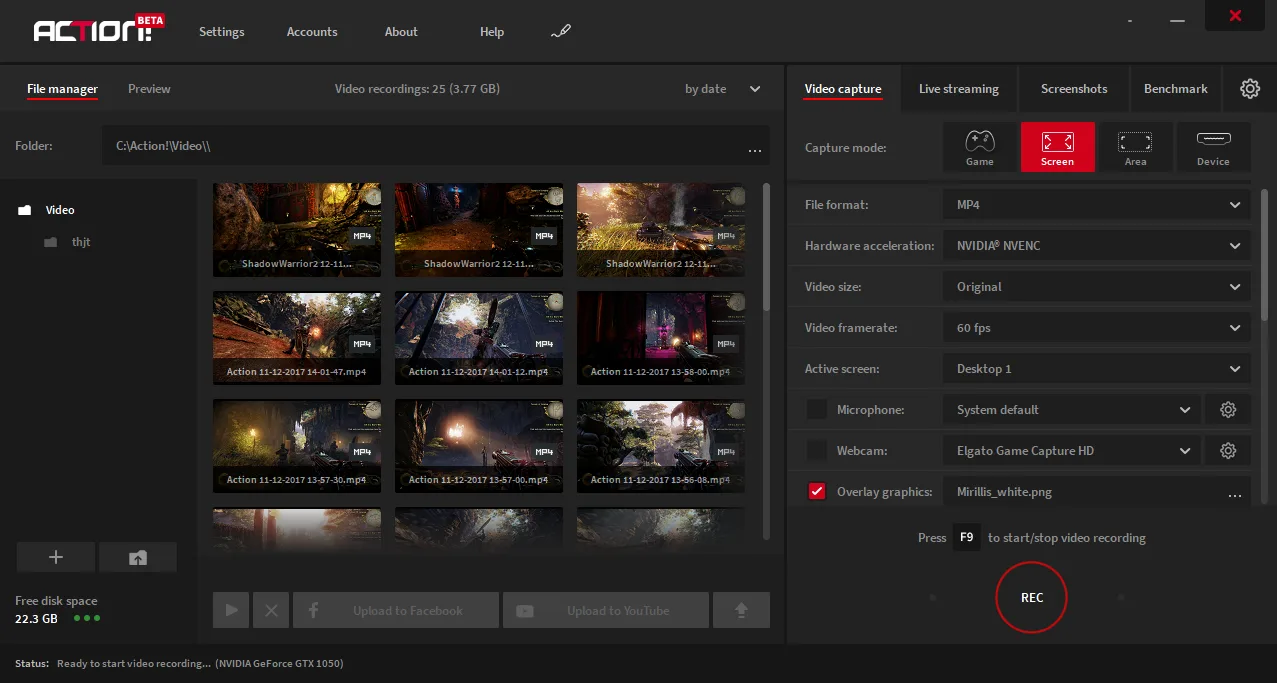
New interface can be expanded like any normal window to reveal more options and features. You will no longer need to scroll down to reach additional settings, and also you will have an access to a greater number of saved videos.
Drawing Panel
One of the newest additions to the software is our Drawing Panel. Essentially, you can draw on your desktop/screen/game as you record. In order to record anything you do with your drawing panel, you need to switch to Screen recording mode and run game in windowed or borderless windowed mode.
You can draw various shapes, write simple text, and use variable line width.
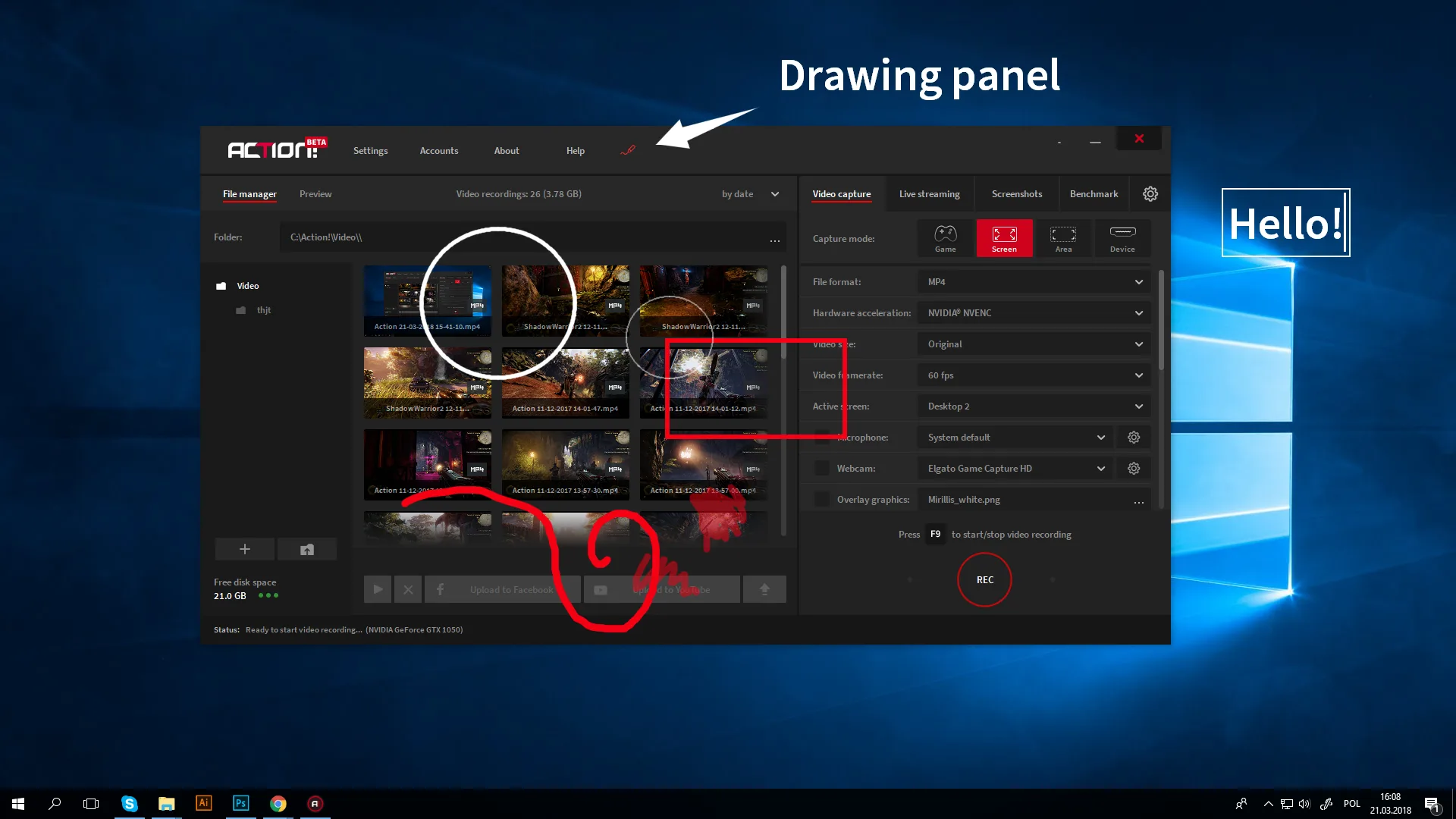
In order to turn the Drawing Panel on, you need to click on the pencil icon on top of the Action! interface (or click CTRL+H by default). Then, a panel will appear on the bottom left of your screen. Choose desired Pen shape, color, and width, and then turn on drawing mode. Click “Clear” button to remove everything you’ve drawn on your screen. In order to keep what’s on your screen while recording, simply turn off drawing panel. To completely hide drawing panel, click on the pencil icon in Action! interface or click CTRL+H again.
Account manager
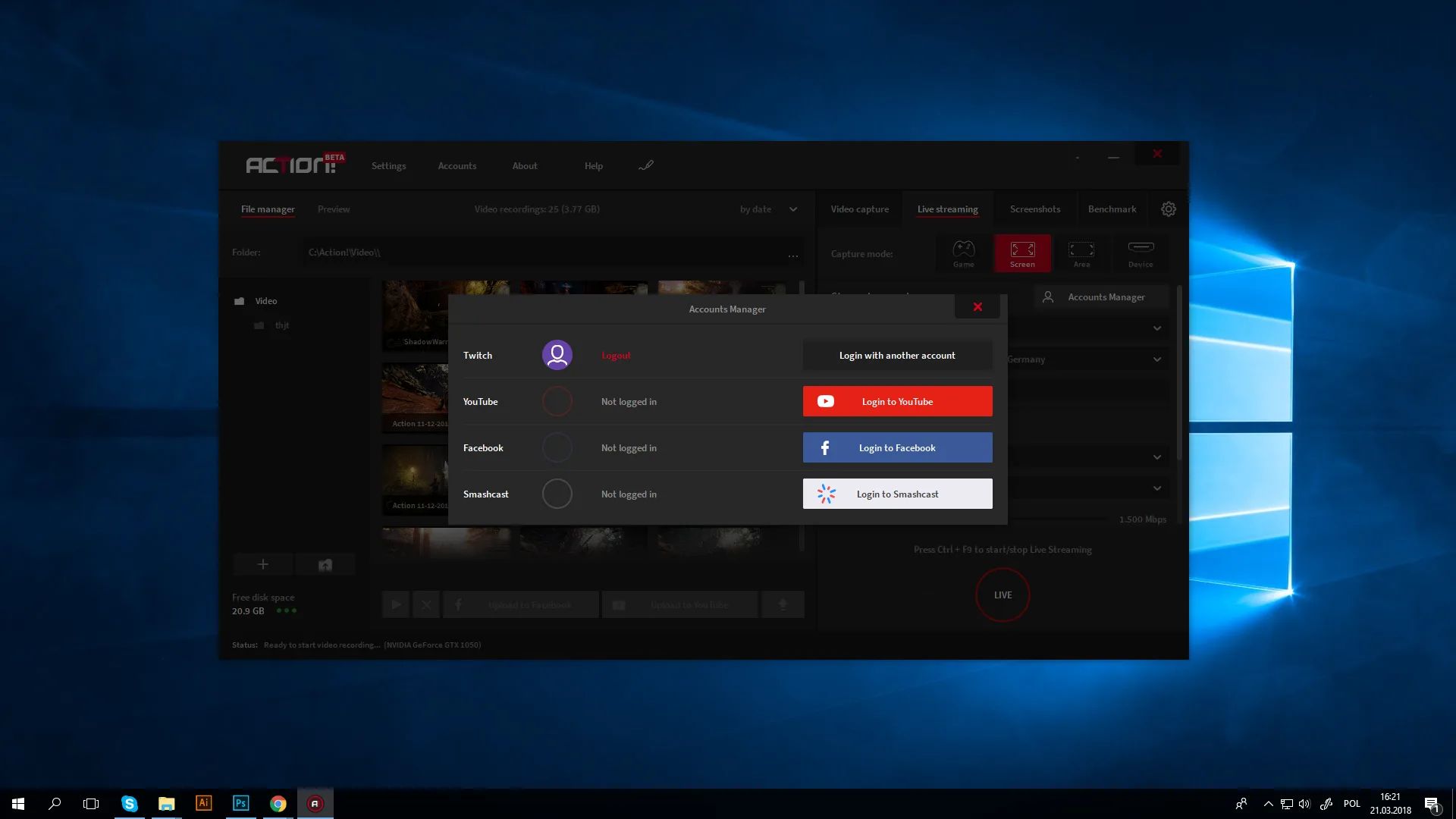
First change to the interface that aims at making life of live-streamers a bit easier, if you stream to different social media and streaming services. Account manager lets you swap accounts from which you stream with a single button. While the option to stream simultaneously is not present in Action! (although it will be available in our upcoming Professional Live-streaming software), Account manager definitely makes things slightly more convenient for you guys.
Custom URL overlay sources
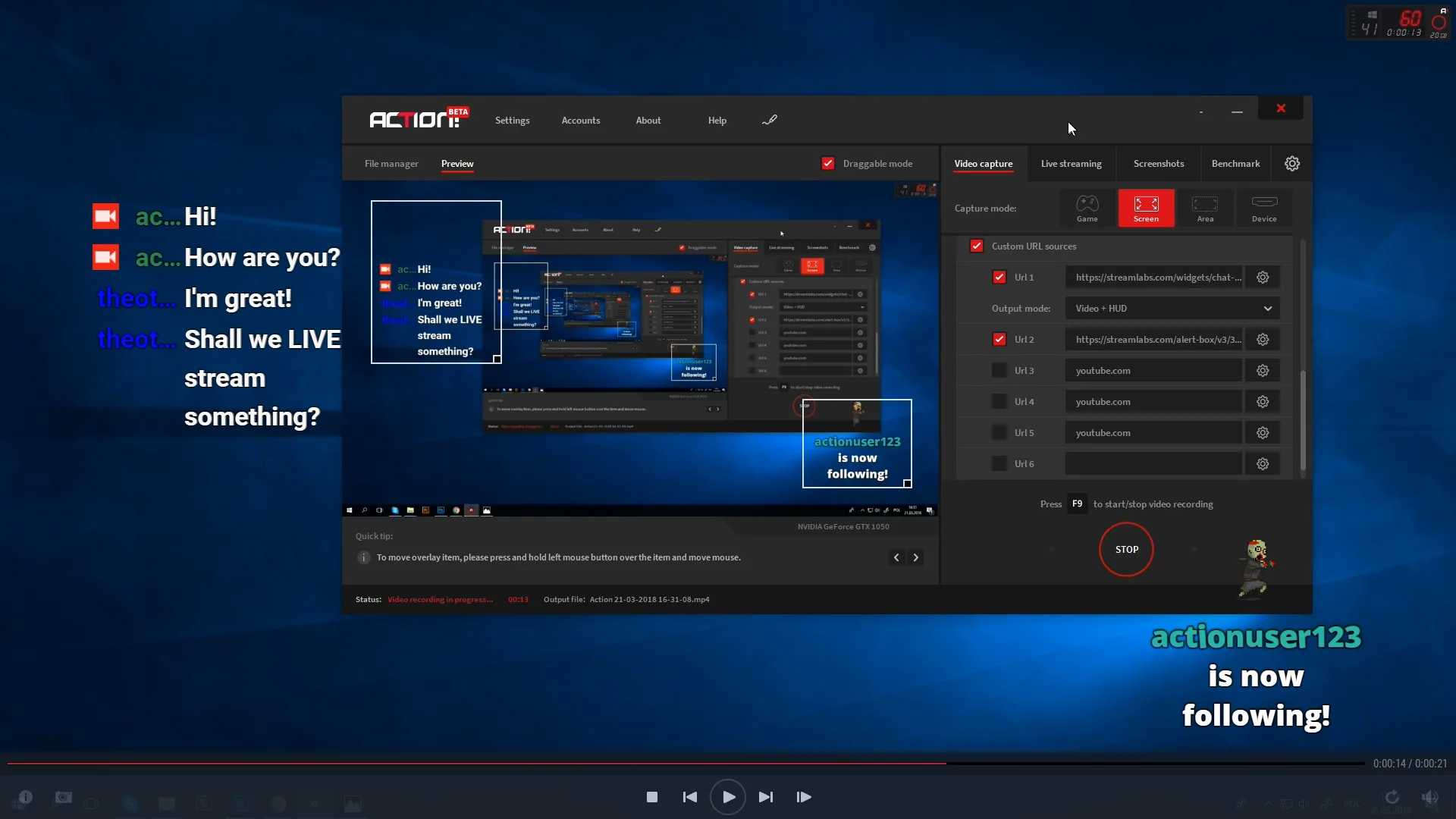
Finally, we’ve added an option to add additional overlay graphics from Custom URL sources. This means, that your live stream may now include various widgets from streamlabs, muxy or other overlay services.
Some of the possible widgets include: chat box, donation goal, alert box and other types of notifications.
We do hope, that this change will encourage all of you to discover how live streaming can be a cool experience, and how professional it may look like with Mirillis Action!
Aux audio feature
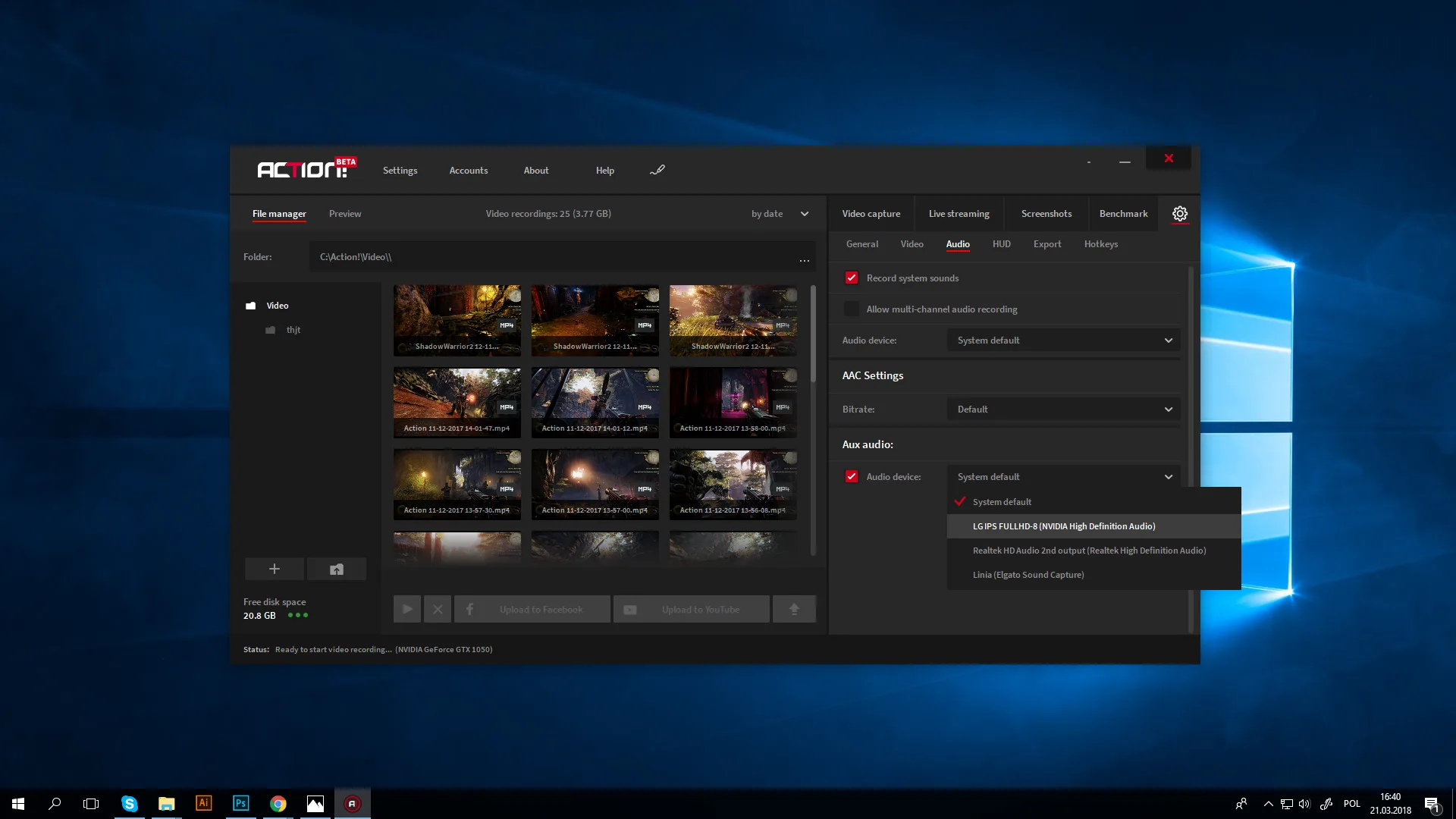
This is one of the features we’ve received a lot of feedback on. We’ve decided to add a feature that records chosen audio sound into separate audio file. We are currently working on a way to increase the number of separate audio tracks in a video.
In order to record additional audio file, go to audio settings, and tick “Aux audio” feature and chose a device you want to record.
Thanks to this feature you may record only a single audio device (either speakers or microphone). For example, you may run game audio on speakers, while keeping all sounds from your voice chat such as Teamspeak on headphones and save it into separate audio file, so it doesn’t merge in.
CPU & GPU monitoring
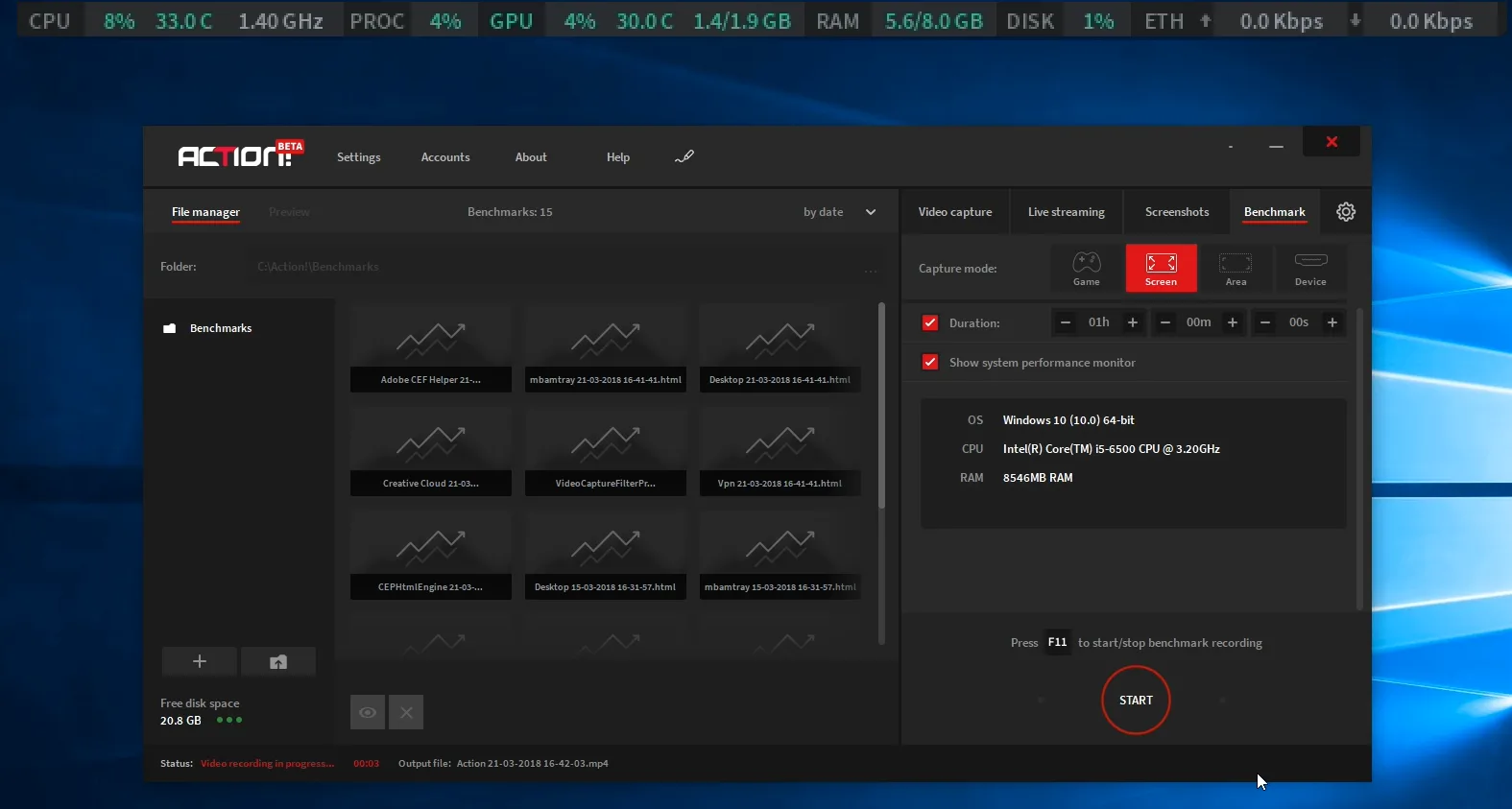
NOTE: Hardware monitor is smaller than on the screenshot above – the scale is increased here only for visibility purposes
If you’re wondering how your hardware “feels like” when playing this insanely demanding game, you will no longer have to download and install new software just to monitor your PC temperature. Combined with benchmarking feature, you already have a complete tool to control your PC performance. This includes network monitoring feature alongside CPU & GPU one. This will help you control your live-stream/recording and make sure that your broadcast is going well.
New benchmarking view
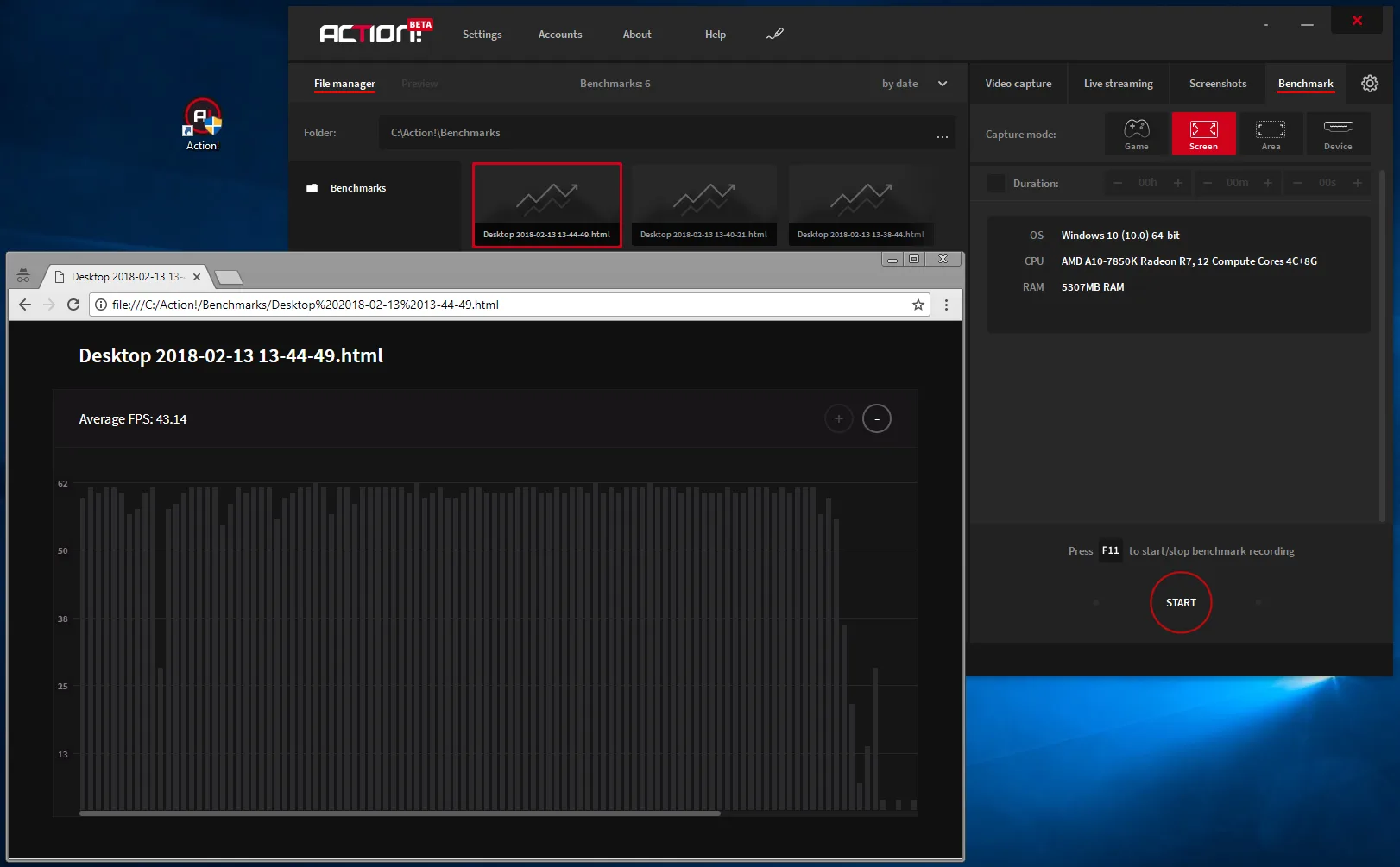
Previously, our benchmarks were saved in .csv file in form of pure numbers frame by frame. This was often illegible. We’ve decided to change this format into .HTML file to run in your browser and present all benchmarking information in form of a simple and convenient chart.
The way you start benchmarking remains the same.
Live preview of video composition
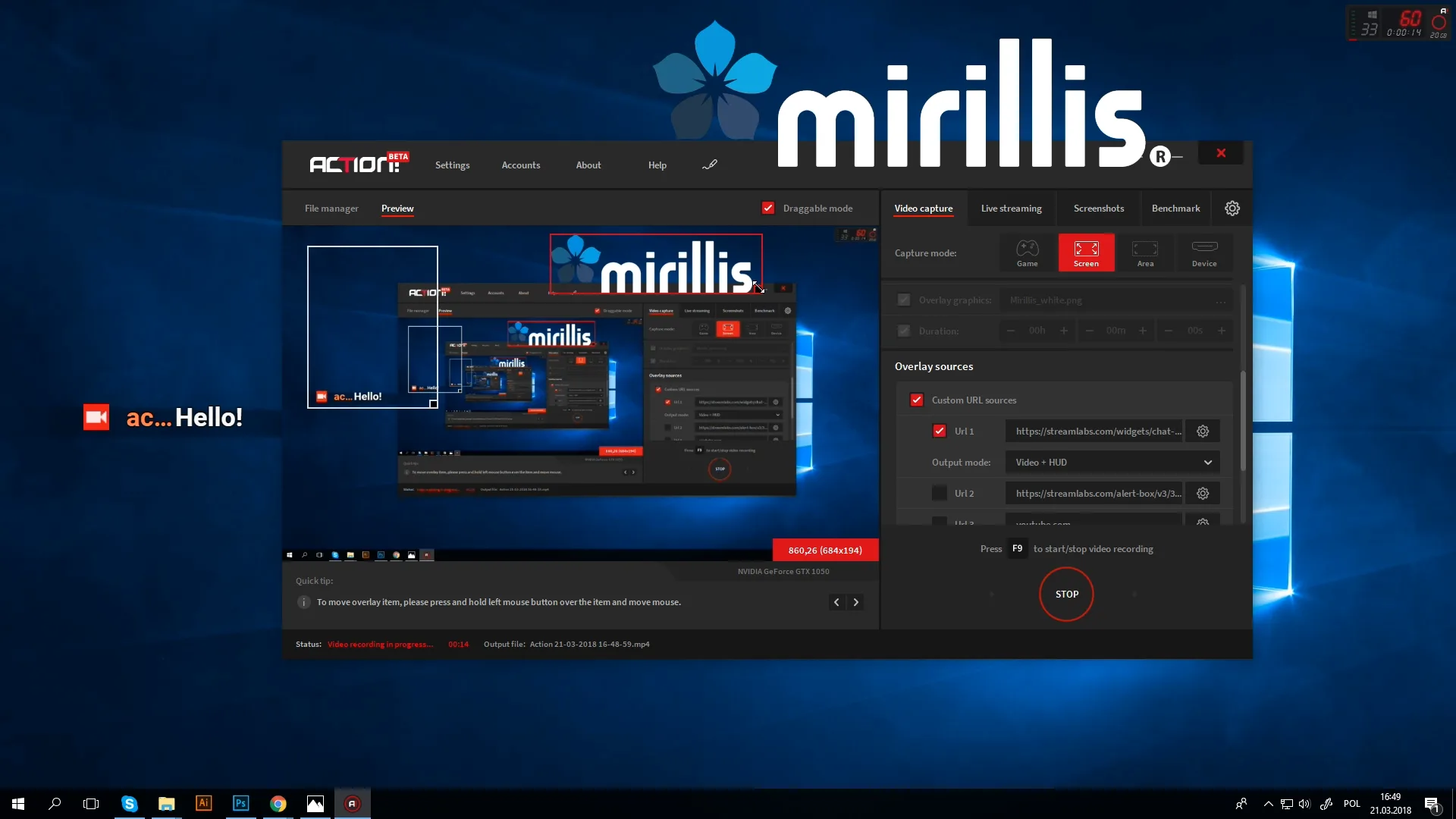
Yet another useful tool for your recording purposes and live-streaming. Very often it happened that Action! users forgot to change or add an overlay graphic, recorded for hours and ended up having incomplete video. With live preview composition, you may check the status of your recorded screen, check if all overlays are positioned correctly, including webcam, URL overlay widgets, and other stuff.
To check your video composition, simply click on the top left side of the window “Preview” button.
There are still lots of features we plan to add in Action! 3.1, but for now that remains a secret. We really do hope you enjoy those new features and use them often!
If you have more suggestions on how we might change or what we might add in future Action! updates, please let us know. We’re looking forward to hearing from you!